Get answers sooner.
Bring scattered records into a clear, sourced answer.
Private AI. Built around your business.
Answers from your data. Less searching, reporting, and repetitive work.
We design and install Ravenhouse Core: a private AI environment connected to your approved systems, with access controlled for each user.
Boutique AI systems consultancy · South Shore, Massachusetts
Out-of-state customers generated $420K. Manufacturing led revenue; maintenance kits were the top product.
Maintenance kits $168K · Replacement components $147K · Control assemblies $105K
Illustrative example · fictional data · no live connections
Less searching. More doing.
Bring scattered records into a clear, sourced answer.
Find missed opportunities and prepare useful customer follow-ups.
Reduce copying, reconciliation, and admin so employees can focus.
Meet Ravenhouse Core
Use your browser. Explore approved data, check the sources, and turn an answer into a report, plan, or draft.
Out-of-state customers generated $420K. Manufacturing led revenue; maintenance kits were the top product.
Illustrative example · fictional data · no live connections
Connected where it counts
We connect the systems that actually matter to your business, where technically and contractually appropriate access is available.
Other approved systems, APIs, exports, internal databases, and industry-specific platforms can be evaluated during discovery. Compatibility is assessed, never assumed.
Least privilege, built in
An approved place for company information, with two access boundaries.
Search, analyze, summarize, and report.
A person reviews emails, updates, and other changes before execution.
Explicitly approved, narrow, low-risk, reversible automation with activity logging.
A dedicated environment with local models where appropriate. External AI services or transfers require approval. We document storage, encryption, retention, backups, and administrative access. Permissions are enforced in retrieval and actions, not just prompts. Security requires ongoing maintenance; private does not mean risk-free.
Infrastructure and investment, in context
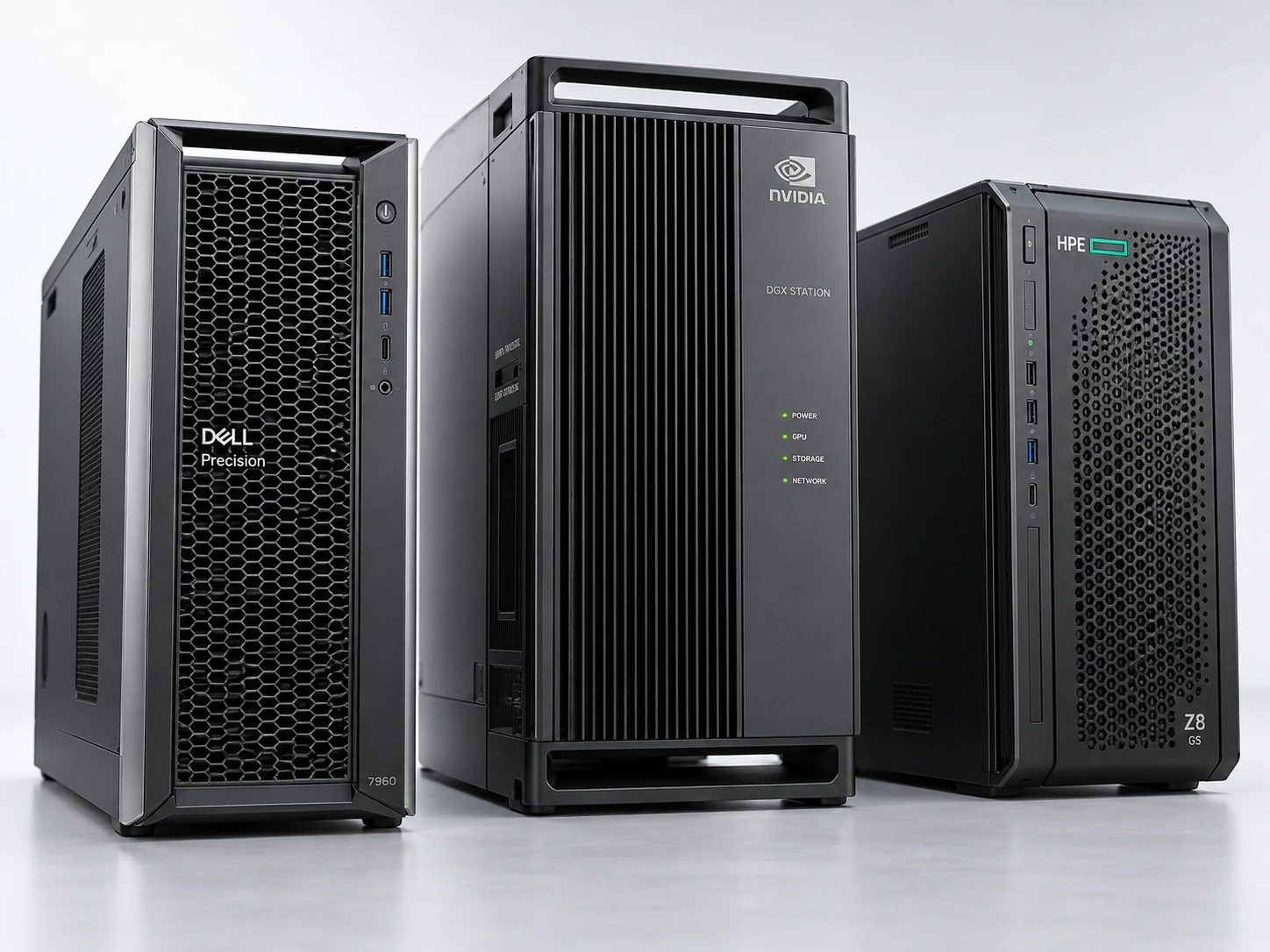
We recommend the smallest system that comfortably handles the workload, with reasonable room for growth.
Usage: expected users, simultaneous requests, response times, and growth.
AI workload: model requirements, context length, data volume, reporting, analysis, and automation.
Environment: connected systems, workflow design, security, data quality, and integration effort.
Headcount and system counts are context, not sizing rules. A small firm may need a sophisticated setup; a larger business may have a simple use case.
Example: 2–10 employees · 2–4 systems
Light simultaneous use: search, Q&A, reporting, summarization, drafting, and basic business intelligence.
Apple Mac mini M4 Pro with 48GB or 64GB unified memory, or another compact local AI system.
A small footprint, low power needs, quiet operation at lighter loads, and shared CPU/GPU memory can make this efficient.
Apple specificationsIllustrative implementationCould begin in the low thousands, plus hardware, for genuinely simple work.
Example: 10–40 employees · 4–8 systems
Frequent use across email, CRM, finance/ERP, files, and work management. Account intelligence, deeper analysis, reporting, and follow-up workflows.
Higher-memory Apple Silicon or an NVIDIA RTX PRO 4500 / 5000 Blackwell workstation.
4500: 32GB GPU memory. 5000: 48GB or 72GB. Selection follows model and throughput testing.
Illustrative implementationOften tens of thousands, depending on integrations and workflow complexity.
Example: 40–100+ employees · 8–15+ systems
More concurrency, larger models, complex permissions, advanced workflows, greater automation, and heavier reporting and analysis.
NVIDIA RTX PRO 6000 Blackwell, DGX Spark, a multi-GPU workstation, or an appropriately sized server.
6000: 96GB GPU memory. Spark: 128GB unified system memory. Different architectures; speed and compatibility are tested.
Illustrative implementationCould reach the higher tens of thousands or beyond, depending on scope.
Multiple departments · many systems
Extensive custom workflows, high concurrency, large models, advanced security, substantial automation, and higher availability needs.
Multi-GPU workstations, servers, clusters, or rack infrastructure.
Power, cooling, networking, resilience, and support are designed around the application.
Illustrative implementationMay reach six figures as engineering and infrastructure complexity increase.
Functionality, workflow design, automation, security, data quality, integrations, and hardware are defined in the proposal. These examples set no floor or ceiling. Hardware, software, and optional support are itemized separately.
Final sizing follows workload testing. Memory capacity alone does not predict speed; unified system memory and GPU memory are different resources.
Make the business case
Start with measurable time savings. Compare the value with the full cost of implementation and operation.
Illustrative annual value of recovered employee time.
Loaded cost includes pay, benefits, and employer costs.
1,560 employee hours recovered per year
Recovered time is capacity, not automatically cash savings. Value depends on how it’s used. Illustration, not a forecast.
Also track faster quotes, fewer missed follow-ups, repeat orders, and reduced rework. Include hardware, software, and support costs; avoid double-counting benefits.
About Ravenhouse
South Shore, Massachusetts
Ravenhouse combines a background in telecommunications and security technology with a focus on identifying inefficiencies, simplifying business systems, and improving productivity through automation.
Start with the work, not the technology
Describe one recurring headache. We’ll discuss the systems involved, the result you want, and a sensible first scope.
info@ravenhouselabs.comGreater Boston / South Shore
Discovery, system design, integration, permission testing, training, and handoff, as defined in your proposal.
No. We test against real records and show supporting sources. People review important decisions.
The proposal defines ownership, licensing, access, and maintenance. Ongoing support is optional.